
Player guide
Getting started
Open the game, make a cold call, and you'll have a commission cheque before the first month is out. Here's what happens and where everything lives.
What you need
A browser, on your phone or a computer. There's nothing to install and no account to make. The game keeps one career on your device and saves it after every change, so you can close the tab at any point and pick up where you left off. Starting a new career replaces the old one.
You start as a Rookie with $100,000 and a 10-year career ahead of you:120 months, one turn per month.
Your first month
The first month is a short guided tour. It walks you through one full deal:
- Pipeline. Make a cold call. Cold calls are scratch-off tickets: scratch all three windows, and three of a kind is a lead.
- Take the client. The lead is a buyer with money to spend. Take them on, then find them a building they can afford.
- Make the offer. Put in an offer on the best fit. If the seller accepts, the deal goes under contract.
- End the month. Deals close when the month ends. Press and hold Hold to end the month.
- Deposit the cheque. Your commission arrives as a paper cheque made out to you. Hold to deposit it.
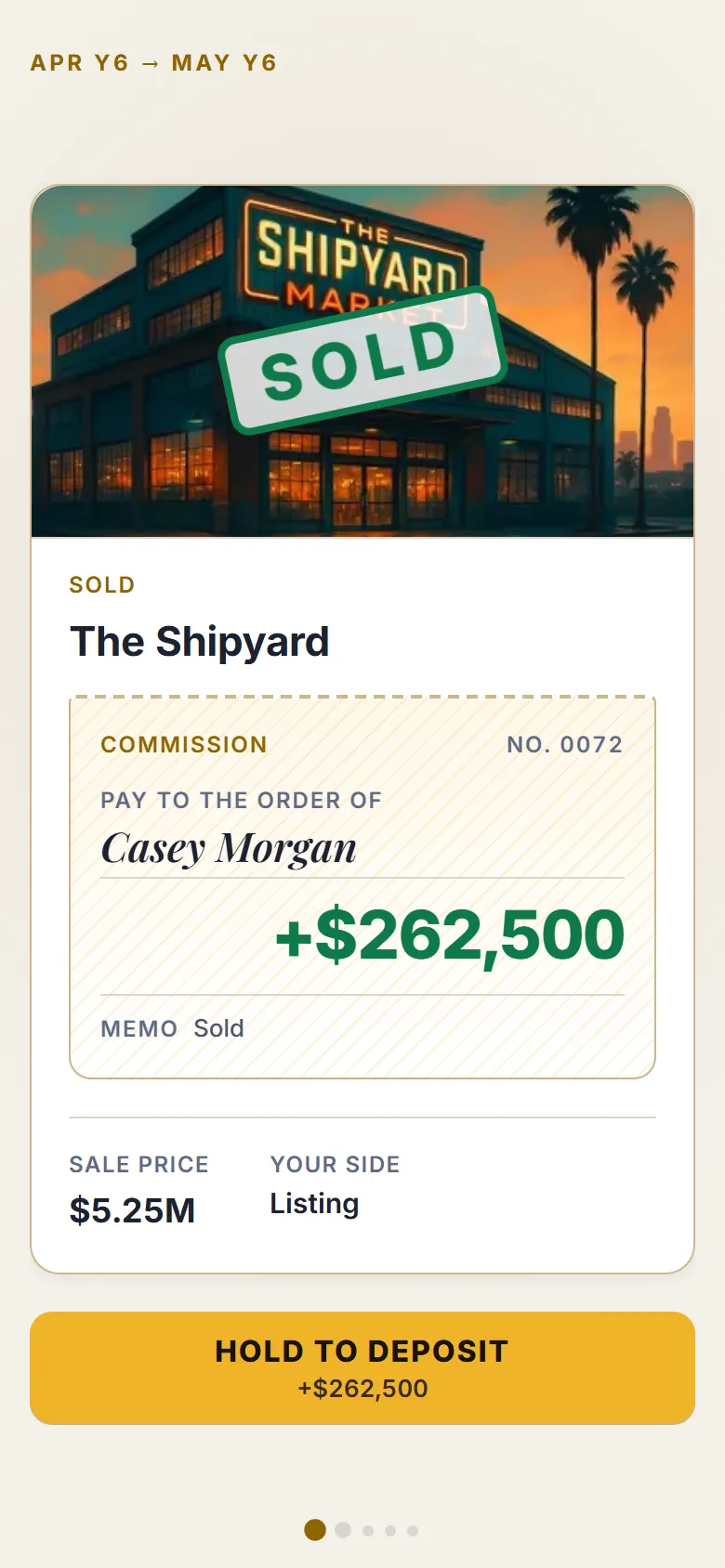
During that first month, months are free and purchases close at once. After it, the real-time clock starts with6 months already banked. Career and score explains the clock.
The five tabs
A month's decisions are spread over five tabs. A number on a tab tells you how many cards are waiting there.
- Desk is where every month starts: events, trouble in escrow, the month report, promotions.
- Pipeline is your brokerage: prospecting, leads, buyer clients, listing pitches and offers on your listings. See Brokerage.
- Market is buildings for sale and the rival brokers who want them. See Buying and financing.
- Portfolio is the buildings you own: business plans, upgrades, refinancing and selling. See Upgrades.
- You holds missions, the skill tree, trophies, marketing campaigns and the leaderboard.
The tabs open as you earn them, not all at once. Your first commission opens the Market. Your first building opens the Portfolio. A seller wanting you to list their building opens Listings. Each new screen gets a short tour the first time you visit it. Settings are behind the gear in the header.
Actions and cards
Each month you get a few actions. Cold calls, pitches, offers and searches cost actions; answering most cards doesn't. You start with three a month, and promotions add more (see Ranks). You don't have to spend them all: actions you leave unused are played at the prospecting table of your choice when the month ends.
A month usually brings two or three decisions that matter: a client to place, an offer to answer, a building to buy or run. A card that lands on another tab pops up above the tab bar so you don't miss it.
Ending the month
When you're done, hold Hold to end the month. It works from any tab and tells you how many cards are still waiting. Then the month-end reveal plays: the biggest news first, then the market, then your net worth and what moved it. Deals close, purchases complete, refinances fund, and the next month starts on the Desk.
On a computer
On a wide screen (roughly 1024 pixels wide or more), the game switches to a desktop layout. It's the same career, the same cards and the same buttons, laid out side by side instead of stacked.
Ready? Start your first month.
Try it on a real career
Free in your browser, on your phone or desktop. No download, no account.